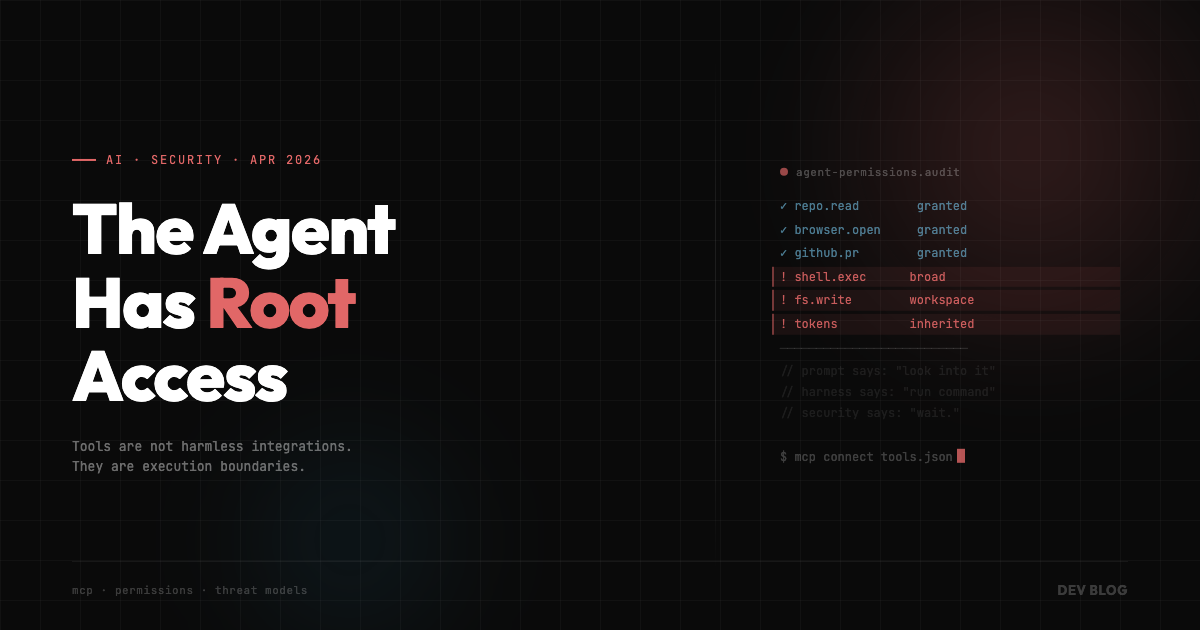
The Agent Has Root Access
We spent two years teaching AI agents how to use tools.
Now we are learning the old lesson again: every tool is also a door.
That’s the part of the current MCP security mess I can’t stop thinking about. Not because MCP is uniquely cursed, or because agent tools are doomed, or because we all need to go back to manually copying stack traces like it’s 2023. The interesting part is simpler and more annoying.
We keep treating agent permissions like configuration.
They are not configuration.
They are architecture.
The Weird Part
On April 20, 2026, Cloud Security Alliance published a research note summarizing OX Security’s MCP findings. The core issue was not a cute prompt injection demo where the model says something embarrassing. It was remote code execution risk across MCP implementations because local STDIO tool configuration can cross into process execution.
That sentence sounds boring until you remember what MCP is for.
MCP is the thing that lets agents connect to the outside world. Repos. Databases. Browsers. Slack. GitHub. Internal APIs. Cloud resources. The whole point is to make the model less trapped in a text box and more useful inside real systems.
Which is also a great description of an attack surface.
This is where the conversation usually gets dumb. One side says “AI agents are insecure.” The other side says “this is just how local tools work.” Both can be true and still miss the actual problem.
The dangerous part is not that an agent can call a tool.
The dangerous part is that teams are wiring tools into agents faster than they are deciding what the permission boundary is supposed to be.
We Already Know This Movie
None of this is new, which is what makes it funny in the least funny way.
We did this with npm install. A little helper package becomes a transitive dependency chain, then one compromised maintainer account turns into a company-wide incident review. We did this with CI. A convenient workflow runner becomes a privileged automation system with access to secrets, deploy keys, and production credentials. We did this with browser extensions, VS Code extensions, GitHub Actions, Terraform providers, and every other tiny convenience that slowly became infrastructure.
At first it feels like a tool.
Then one day it has write access.
Agents are speedrunning that lifecycle.
The difference is that agent tooling mixes three uncomfortable things at once: natural language, tool execution, and ambiguity. A human can say “check this repo and open a PR.” The agent has to interpret that. The harness has to expose capabilities. The tool layer has to decide what is allowed. The repo has to survive whatever happens next.
That’s a lot of trust packed into a sentence.
And because the interface feels conversational, people underestimate how real the permissions are. “Ask the agent to look into it” sounds harmless. “Give a probabilistic system filesystem access, shell access, GitHub access, and a browser, then let it reason over untrusted input” sounds like something a security team would ask follow-up questions about.
Same workflow. Different framing.
Root Access, But Make It Productive
I don’t mean root access literally in every setup. Most agents are not running as root, and if yours is, please have a dramatic walk around the block and come back with a better plan.
I mean root access as a mental model.
Your agent can often read files you didn’t paste into chat. It can run commands you didn’t manually type. It can inspect dependency trees, open network connections, modify configs, create branches, install packages, and sometimes touch services that absolutely matter. That is not autocomplete. That is delegated execution.
Once you see it that way, the safety checklist changes.
Not “did the model answer correctly?”
“What can this agent do if the input is hostile?”
“What can this tool reach?”
“Can one compromised dependency change the agent’s behavior?”
“Can the agent modify the config that controls its own tools?”
“Are approvals protecting important actions, or just teaching everyone to click yes faster?”
This is the boring security stuff. Least privilege. Sandboxing. Egress controls. Audit logs. Explicit allowlists. Separate credentials. Reviewable diffs. Short-lived tokens. The kind of work nobody wants to put in the launch tweet because it makes the demo less magical.
Too bad. That’s the work.
The Harness Has a Threat Model Now
I wrote recently that the real AI race is the harness, not the model. I still think that’s right. But the MCP disclosure adds a sharper edge to it.
If the harness is where reliability comes from, it is also where risk lives.
OpenAI’s harness engineering piece framed the shift pretty well: humans spend less time typing code and more time designing environments, specifying intent, and building feedback loops around agents. That sounds like productivity work. It is. It is also security work.
The environment decides what the agent can see.
The tools decide what the agent can do.
The feedback loop decides what “success” looks like.
The logs decide whether anyone can reconstruct what happened after the fact.
If those pieces are sloppy, you don’t have an agentic workflow. You have a very confident automation system with unclear boundaries.
This is why I don’t love the framing of “AI trust” as mostly a developer attitude problem. Stack Overflow has been writing about the AI trust gap, and the usual version is: developers use AI, but they don’t fully trust AI-generated code in production. Fair. But trust is not a vibe. Trust is infrastructure.
I don’t trust an agent because it sounds smart.
I trust it because I know what it can touch, I know what it cannot touch, I can see what it did, and I can stop it before the blast radius gets stupid.
The Mistake Is Waiting for Security Later
The pattern I worry about is teams treating agent security like something they’ll harden once the workflow proves itself.
That’s backwards.
By the time the workflow proves itself, people have already built habits around it. The agent is in the daily loop. The permissions are sticky. The MCP servers are installed. The approval prompts are muscle memory. The weird little workaround someone added for a demo has become part of the stack.
Security added later always has to fight convenience that already won.
GitHub quietly moving toward more organization-level controls for Copilot agents is the kind of signal people should pay attention to. Not because GitHub has solved the whole thing, but because it shows where this is going. Agent access is becoming something companies manage like repo permissions, CI permissions, and secret access.
Good.
That’s what it is.
The local developer version should move the same way. Your agent setup should be boringly explicit. Which servers are installed. Which commands are allowed. Which directories are writable. Which tokens are available. Which network calls are permitted. Which actions require human approval. Which logs are kept.
I know. Very unsexy. Almost like software engineering.
What I Am Changing
For my own setup, I’m starting to treat agent tools less like plugins and more like dependencies with permissions.
If I install an MCP server, I want to know what it can execute. If a tool needs shell access, I want that scoped. If an agent needs a token, I want the narrowest token I can give it. If something is experimental, it does not get access to my real work environment because I am curious.
I also want fewer tools.
This is the part that hurts, because tool sprawl feels powerful. GitHub tool. Browser tool. Database tool. Docs tool. Cloud tool. Slack tool. Filesystem tool. Search tool. Suddenly the agent can do everything, which is another way of saying the agent can break everything.
The best harness is not the one with the most tools.
The best harness is the one where each tool has a job, a boundary, and a reason to exist.
That’s the mindset shift I think a lot of developers need. We are not “adding MCP.” We are extending the execution boundary of our development environment. That deserves the same seriousness we give CI, package installs, credentials, and deploy workflows.
Maybe more, honestly. At least CI doesn’t get persuaded by a README.
The scary part of AI agents was never that they might write bad code.
Bad code is normal. We have been doing that ourselves for decades.
The scary part is giving a system real permissions before we have real boundaries, then calling the whole thing productivity because the demo was fast.
The agent has tools now.
So the agent has a threat model.